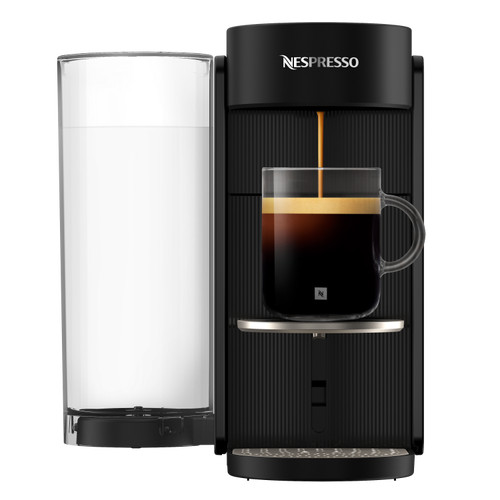
Nespresso Troubleshooting Vertuo Up
Select another machineVertuo Up

First use or after a long period of non-use

First use or after a long period of non-use
CAUTION: First read the important safeguards to avoid risks of fatal electrical shock and fire.
NOTE: For the best experience, please pair your machine and accept automatic software updates.
CAUTION: Please ensure ground continuity when plugging the machine in the power outlet.
- Plug in the power cord.
- Rinse the water tank before filling it with only fresh drinking water (0.5 L). Close the water tank with the lid and put it back in position on the machine.
- Ensure the capsule container and the cup support (if necessary for the selected cup size) are in place. For your safety, operate the machine only with cup and capsule container in position.
- Once the machine is plugged in, turn on by pressing the coffee button once.
- The coffee button will glow for 3 seconds while the machine is heating up. When it is steady, the machine is ready to be used.

Energy Saving

Energy Saving
- To save energy, the machine will turn off automatically after ~2 minutes of non-use.
- The machine can be turned off manually at any time (when not in use) by pressing and holding the button for ~2 seconds. The machine will be powered off after all the buttons and LED will be dimmed down.

Connect your machine

Connect your machine
NOTE: If you have already downloaded the Nespresso Smart App, it will be opened. If you don’t have the Nespresso Smart App, you will be able to download it.
NOTE: If you do not connect your machine, the Connectivity LED will blink each time you turn on the machine.
NOTE: If you wish to disable the connectivity module or if your country does not support connection to the Nespresso Smart App, please refer to the following “Disable / Re-enable the connectivity module” section.
- Plug in your machine.
- Turn it on by pressing the coffee button once.
- Scan the QR Code on the drip grid or open the Nespresso Smart App to pair your machine.

DISABLE / RE-ENABLE THE CONNECTIVITY MODULE

DISABLE / RE-ENABLE THE CONNECTIVITY MODULE
- To disable the connectivity module, open the lever and turn on the machine by pressing the coffee button once.
- Press and hold the maintenance button for at least 3 seconds. Once the coffee button is steady blue, release it and press the maintenance button 4 times again. The coffee button and the Connectivity LED should appear steady white.
- Press the coffee button once to confirm. The coffee button and the Connectivity LED will blink 3 times to confirm the connectivity module has now been disabled. Once the procedure is completed, the machine turns off. NOTE: If you want to re-enable the connectivity module, you can follow the same steps.

Daily cleaning

Daily cleaning
- As the Vertuo Up rotates capsules vertically to brew, some coffee and water residue may remain in the capsule after the drying process, and is collected in the Maintenance Module. We recommend that you empty the maintenance module every 2-3 days to avoid water overflowing or coffee residue build up.
Your machine also ships with a plastic grid that sits inside the drip tray which sits below the capsule container, ensure you keep this in place to reduce overflow when cleaning the removable parts of your machine.

Coffee preparation

Coffee preparation
- This machine operates with Nespresso Vertuo capsules. Nespresso classic capsules cannot be used in this machine.
- Fill the water tank with fresh drinking water, close with the lid and put it back in position.
- Turn on the machine by pressing the coffee button once. Open the machine lever and insert one Vertuo capsule.
- Close the machine lever and place a cup.NOTE: To avoid overflow, please adapt the cup size according to the volume of the chosen capsule (pre-set or customised). The cup support can be adjusted to accommodate your cup size.
- Start brewing by pressing the coffee button once.
- When the coffee stops brewing, open the machine lever to eject the capsule and enjoy your coffee.NOTE: You can stop your coffee extraction at any time by pressing the coffee button once.NOTE:For the proper usage of your machine, we recommend opening the lever once the brewing is fully completed (coffee button steady white). Opening the lever will remove any capsule after extraction. Coffee/water may remain in the maintenance module. Empty the capsule container if needed, along with any remaining coffee/water residue.NOTE: You can stop your coffee extraction at any time by pressing the coffee button once.For the proper usage of your machine, we recommend opening the lever once the brewing is fully completed (coffee button steady white).Opening the lever will remove any capsule after extraction. Coffee/water may remain in the maintenance module.Empty the capsule container if needed, along with any remaining coffee/water residue.

Adjusting coffee volumes

Adjusting coffee volumes
The programming is specific to each cup size. The cup sizes may be programmed from 20 ml to 500 ml (except Coffee Pour-Over Style where it can go up to 1 L).
- Fill the water tank with fresh drinking water, close with the lid and put it back in position.
- Open the machine lever and insert one Vertuo capsule.
- Close the machine lever, place a cup and turn the machine on by pressing the coffee button once.
NOTE: To avoid overflow, please adapt the cup size according to the volume of the chosen capsule (pre-set or customised). The cup support can be adjusted to accommodate your cup size.
- Start brewing by pressing and holding the coffee button for at least 5 seconds.
- Once the desired volume is reached, release the coffee button. Some coffee drops might continue to flow for a few seconds.
NOTE: Once a customer specific setting is programmed, every time the cup size is inserted in the machine, the preparation will stop at the same user-programmed cup size.
For the proper usage of your machine, we recommend opening the lever once the brewing is fully completed (coffee button steady white). Opening the lever will remove any capsule after extraction.
NOTE: Through the Nespresso Smart App, you will be able to customise 2 main coffee extraction parameters: the temperature and the cup length.

Short rinsing

Short rinsing
To pre-heat your cup or quickly rinse your machine after a flavoured coffee, fill the water tank with fresh drinking water, close with the lid and put it back in position.
- Open and close the machine lever to eject the previous capsule and do not place any new capsule.
- Place a cup and turn the machine on by pressing the coffee button once.
- Start brewing by pressing the coffee button once, without any capsule.
- ~40 ml of hot water will be brewed. This brewing won’t be drinkable.
NOTE: Water may accumulate in the maintenance module during the process. Please empty the maintenance module when the capsule container is full or after any maintenance process (cleaning, descaling, emptying, etc.).
Cleaning
Cleaning
- Open the machine lever to eject the capsule and remove the maintenance module.
- Empty the capsule container if needed, along with any remaining coffee/water residue.
- Rinse the water tank before filling it only with fresh drinking water (0.5 L).
- Close the water tank with the lid and put it back in position on the machine.
NOTE: Please ensure the water tank is filled only once during this procedure.
- With the machine plugged in, remove the cup support and place an empty container (at least 1 L) under the coffee outlet.
- Turn on the machine by pressing the coffee button once.
- Open the machine lever. Press and hold the maintenance button for at least 3 seconds. Release it when the coffee button appears steady blue.
- Close the lever and press the blue coffee button once to launch the process.
NOTE: The machine will start rinsing and the procedure may take up to 3 minutes.
NOTE: Water may accumulate in the maintenance module during rinsing.
- Remove the maintenance module from the machine.
- Separate the capsule container from the rest and empty any remaining water. Wash the maintenance module with hot water and mild odourless detergent.
NOTE: Do not use any strong or abrasive cleaning agent or solvent cleaner. Do not put the machine in a dishwasher. Never immerse the appliance or part of it in water.
- Dry the maintenance module with a clean and fresh cloth and place it back on the machine.
CAUTION : Clean the coffee outlet regularly with clean damp cloth. Always use soft cloths to clean the machine.

Descaling

Descaling
- This procedure can be easily done through the Nespresso Smart App once the machine is connected.
NOTE: Descale your machine will ensure that it functions properly throughout its lifetime and will make your coffee experience as incomparable as it was the first day. Your machine will indicate when the descaling is needed when the maintenance button will be steady orange.
NOTE: duration: approximately 15 minutes.
NOTE: descale mode cannot be interrupted once launched.
CAUTION: read the Safety Precautions on the descaling package. Please note that the descaling liquid can be harmful. Avoid contact with eyes, skin and surfaces. Never use any product other than the Nespresso descaling kit available through Nespresso to avoid damage to your machine. For any additional questions you may have regarding descaling, please contact Nespresso. - 1ST CYCLE: DESCALING
Open the machine lever to eject the used capsule. Remove the maintenance module from the machine. - Separate the capsule container from the rest and empty any remaining coffee/water residue.
- Fill the water tank with 0.6 L of water, add 1 unit of Nespresso descaling liquid and close the water tank with the lid.
- Put the water tank back in position on the machine. Remove the cup support and place an empty container (at least 1.5 L) under the coffee outlet.
- Turn on the machine by pressing the coffee button once.
- Press and hold the maintenance button for at least 3 seconds. Once the coffee button is steady blue, release it and press twice on the maintenance button. The coffee button should appear steady orange.
NOTE: To leave the maintenance mode before launching any procedure, please hold again the maintenance button for at least 3 seconds. - Close the lever and press the orange coffee button once to launch the first descaling cycle.
- The machine will start the first descaling cycle; the procedure may take up to 5 minutes and the machine will pause automatically when completed.
- 2ND CYCLE: RINSING
Once the first descaling cycle is done, it is time to rinse the machine. Open the machine lever, empty the container, rinse the water tank and fill it entirely with fresh drinking water. Put it back in place. - NOTE:Please ensure the water tank is filled only once during this procedure.
Close the lever and press the orange coffee button once again to launch the rinsing phase of the descaling process. - The rinsing procedure may take up to 4 minutes and the machine will stop automatically when completed.
NOTE: Water may accumulate in the maintenance module during the process. - Rinse the water tank.
- Remove the maintenance module from the machine.
- Separate the capsule container from the rest and empty any remaining water. Wash the maintenance module with hot water and mild odourless detergent.
CAUTION: Do not use any strong or abrasive cleaning agent or solvent cleaner. Do not put the machine in a dishwasher. Never immerse the appliance or part of it in water. - Dry the maintenance module with a clean and fresh cloth and place it back on the machine. Let the machine rest for 10 minutes before using it.
- The machine will stop and automatically turn off once the procedure is completed.

Emptying the system before a period of non-use, for frost protection or before a repair

Emptying the system before a period of non-use, for frost protection or before a repair
- Open the machine lever to eject the used capsule. Remove the maintenance module from the machine.
- Separate the capsule container from the rest and empty any remaining coffee/water residue.
- Place the maintenance module back on the machine.
- Empty the water tank and put it back without water in position on the machine.
- Place an empty cup under the coffee outlet and turn on the machine by pressing the coffee button once.
- Turn the machine ON.
- Open the machine lever. Press and hold the maintenance button for at least 3 seconds. Once the coffee button is steady blue, release it and press the maintenance button once again. The coffee button should appear steady yellow.
NOTE: To leave the maintenance mode before launching any procedure, please hold again the maintenance button for at least 3 seconds. - Close the lever and press the yellow coffee button once to launch the emptying process.
NOTE: The coffee button will blink yellow during the process and will turn turn off once the procedure is completed. - Once the procedure is completed (coffee button is OFF), open and close the machine lever.
- Remove the maintenance module from the machine.
- Separate the capsule container from the rest and empty any remaining water. Wash the maintenance module with hot water and mild odourless detergent.
CAUTION: Do not use any strong or abrasive cleaning agent or solvent cleaner. Do not put the machine in a dishwasher. Never immerse the appliance or part of it in water. - Dry the maintenance module with a clean and fresh cloth and place it back on the machine.

Reset to factory settings

Reset to factory settings
- To remove only the customisation parameters, open the lever and turn ON the machine by pressing the coffee button once.
- Press and hold the maintenance button for at least 3 seconds. Once the coffee button is steady blue, release it and press the maintenance button 3 times again. The coffee button and the Coffee Creations button should appear steady white.
NOTE: To leave the maintenance mode before launching any procedure, please hold again the maintenance button for at least 3 seconds. - Press the coffee button once to confirm. The 3 buttons will blink 3 times to confirm the machine is now reprogrammed with the factory settings.
NOTE: The machine will go back to ready mode when the procedure will be completed (coffee button steady white).
Full factory reset
Factory reset
- To remove all your customisation parameters and your machine from the Nespresso Smart App, open the lever and turn on the machine by pressing the coffee button once.
- Press and hold the coffee button and the maintenance button for at least 10 seconds.
- All the buttons and connectivity LED will blink 5 times to confirm the machine is now completely reset to factory settings.
NOTE: The machine will turn off when the procedure will be completed. Now your machine is removed from your Nespresso Smart App.

The coffee button is off.
- The machine turned off automatically after 2 minutes of non-use. Press the coffee button once to turn it on.
- Check the plug connection and voltage according to the machine label.

No water/coffee is coming out from the machine outlet.
- Check that the water tank is filled with fresh potable water and correctly positioned.
- Ensure that a fresh Vertuo capsule is inserted in the correct position, that the lever is properly closed, and press the coffee button once to brew your coffee.
- Open the machine lever to eject the capsule, then perform a cleaning by following the instructions in the “Cleaning” section.
- Descale the machine, especially if the maintenance button is steady orange, by following the instructions in the “Descaling” section.

The coffee is not hot enough.
- The first brews could be more affected by a lower in-cup temperature, specifically Ristretto & Espresso cup sizes.
- Follow the “Connect your machine” section to customise your coffee temperature through the Nespresso Smart App.
- With this machine, you can preheat your cup by using the Short Rinsing function (follow the “Short Rinsing” section). Approximately 40 ml of hot water will be brewed. This brewing won’t be drinkable.
- Descale the machine, especially if the maintenance button is steady orange, by following the instructions in the “Descaling” section.

I can see too much coffee/water liquid in my waste water container.
- You might find some coffee/water liquid in the drip tray after each brewing (few ml per coffee), resulting from the machine technology & design. To prevent overflow and ensure a smooth coffee experience, empty the capsule container and clean the maintenance module every 2 days. Residual coffee water can accumulate up to 500 ml, which is expected behavior.
- If you press the coffee button without inserting a capsule, you have launched the Short Rinsing function. Approximately 40 ml of hot water will be brewed. This brewing won’t be drinkable and the 20 ml will be redirected to your waste water container.
The machine seems to be leaking.
- You might find some coffee/water liquid in the drip tray after each brewing (few ml per coffee), resulting from the machine technology & design. It’s important to remove the coffee/water liquid from the waste water container each time you empty the waste capsule container and clean the parts with a mild odourless detergent and dry them before placing them back in position on the machine.
- If you press the coffee button without inserting a capsule, you have launched the Short Rinsing function. Approximately 40 ml (1.35 fl oz) of hot water will be brewed. This brewing won’t be drinkable and the 20 ml will be redirected to your waste water container.
- Check that the water tank and maintenance module are well positioned.
- Check that the capsule container is not full, empty the waste water container and ensure that no capsule is stuck into the machine.
The machine is brewing an unusual coffee flow.
- First of all, the coffee flow speed depends on the coffee variety.
- Ensure that a fresh Vertuo capsule is inserted in the correct position, that the lever is properly closed, and press the coffee button once to brew your coffee.
- Check that the water tank is well positioned on the machine.
- Descale the machine, especially if the maintenance button is steady orange, by following the instructions in the “Descaling” section.
The machine is only brewing “water”.
- If the machine cannot read the printed capsule code, the machine will dispense 40 ml (1.35 fl oz) of non-drinkable water (short rinsing).
- Ensure that the capsule is not damaged (including the code). Please do not use the same capsule more than once.
- Retry with a fresh Vertuo capsule, inserted in the correct position.
- If the problem persists, please contact the Nespresso customer service.

The machine turns off.
- The machine turned off automatically after 2 minutes of non-use. Press the coffee button once to turn it on. Your machine will remain on if you are navigating on the Nespresso Smart App. Please refer to the “ON/OFF” section if needed.
- The machine can be turned off manually at any time (when not in use) by pressing and holding the coffee button for ~1 second. All buttons and LED will blink one last time before turning off.
- Check the plug connection and voltage according to the machine label.
- Unplug, wait a few seconds and plug in the machine again.

There are some coffee grounds in my cup.
- Ensure that a fresh Vertuo capsule is inserted in the correct position, that the lever is properly closed, and press the coffee button once to brew your coffee. Please do not use the same capsule more than once.
- Clean the machine when you start having coffee residue in your cup or after a long period of non-use by following the instructions in the “Cleaning” section.
- Descale the machine, especially if the maintenance button is steady orange, by following the instructions in the “Descaling” section.

The machine is not launching the brewing but the coffee button displays a steady White light.
- Check that the lever is properly closed.
- Ensure that a fresh Vertuo capsule is inserted in the correct position, close the lever properly, and press the button once to brew.
- If the machine is connected, it might be performing an automatic software update. Please open the Nespresso Smart App to check the machine status and/or wait approximately 5 minutes.
The machine is not launching the brewing and the coffee button displays a steady Orange light.
- Fill the water tank with fresh potable water, check that it is well positioned on the machine and press the coffee button once to start the brewing.
- Descale the machine, especially if the maintenance button is steady orange, by following the instructions in the “Descaling” section.
My machine has run out of water. How can I resume making my coffee?
- Fill the water tank with fresh potable water and press the coffee button once to restart the brewing. Your cup will then be filled with the missing volume if the extraction had already been started.

The coffee button is blinking White while the machine is brewing.
- If the coffee is flowing normally, this indicates the machine is working properly.
- If clear water (not coffee) is flowing out of the coffee machine, you launched a short rinsing. Please follow the instructions in the “Short Rinsing” section.
The Coffee Creations button appears steady White.
- You pressed the Coffee Creations button once, activating a mode that helps you craft your coffee recipes.
- By clicking on the dedicated button, this feature will bring you a concentrated coffee extraction; the first step to making all the iced and milk-based coffee drinks you want.
- To turn off this button, press again by clicking once before launching the brewing.
The Coffee Creations button turns off before the brewing starts, and the coffee comes out at a pre-defined volume.
- Due to the cup size, some capsules cannot be extracted using this mode (Ristrettos, Cold Brew Style, Carafe Pour-Over Style / Bianco Piccolo and Bianco Leggero, already optimised for coffee recipes). We also do not recommend using this mode for extracting Alto capsules or Coffee+ range.
- To prevent the loss of your capsule, your machine has brewed the coffee at the preprogrammed cup size.
My in-cup volume is not aligned with the predefined volume set by Nespresso.
- It is likely that your cup volume has been customised.
- You can manually reprogram your cup volume by pressing and holding the coffee button until the desired volume is reached, then release the coffee button.
- If your machine is connected, you can also adjust the cup volume through the “Coffee volume & temperature” section in the Nespresso Smart App.
- If you wish to return to the Nespresso pre-defined coffee volumes, you can reset your machine settings by following the instructions in the “Reset my settings” section.
- If the issue continues to persist even after performing a factory reset, please contact the Nespresso customer centre.
Once my brewing is complete, how can I add more coffee to my cup?
- You can top up your coffee by pressing the coffee button once again without ejecting the used capsule. The same volume will be brewed again. If you want to stop the brewing process before the extraction is complete, simply press the coffee button once again.
- If you want to increase the volumes of all your coffee:
- You can manually reprogram your cup volume by pressing and holding the coffee button until the desired volume is reached, then release the coffee button.
- If your machine is connected, you can also adjust the cup volume through the “Coffee volume & temperature” section in the Nespresso Smart App.
The maintenance button is steady Orange.
- Descale the machine by following the instructions in the “Descaling” section.
- We recommend using the Nespresso descaling kit available to avoid damage to your machine. For any additional questions you may have regarding descaling, please contact the Nespresso customer service.
The maintenance button is glowing Orange.
- You have entered the maintenance mode, a loop designed to facilitate your interaction with the machine’s maintenance.
- In this mode, each colour/pictogram combination is associated with a specific function:
- Coffee button steady blue: Cleaning
- Coffee button steady yellow: Emptying the pipes
- Coffee button steady orange: Descaling
- Coffee and Coffee Creations buttons steady white: Reset my machine settings to factory parameters (customisation parameters only).
- Coffee button steady white and WiFi LED on: Toggle on/off the connectivity module.
- To enter or exit this mode, please press and hold the maintenance button for at least 3 seconds (to enter, until the coffee button turns blue, and to exit, until the coffee button turns white).
- To initiate each maintenance function, simply press the coffee button once, ensuring that its colour corresponds to the desired action. The button will then blink until the process is complete.
- All these maintenance procedures can be easily guided through the Nespresso Smart App once your machine is connected.
The coffee button is blinking Blue, Orange, or Yellow.
- Your machine is currently undergoing a maintenance procedure.
- Please refrain from operating the machine until the procedure is complete.
- Coffee button steady blue: Cleaning
- Coffee button steady yellow: Emptying the pipes
- Coffee button steady orange: Descaling

The coffee button is glowing 5 times Orange when I attempt to launch a maintenance procedure (cleaning, descaling, or emptying the pipes) and the machine is not initiating the process.
- Open and close the machine lever to check that no capsule is inserted before pressing the coffee button again.

The coffee button is blinking Orange once when I attempt to launch a maintenance procedure (cleaning, descaling, or emptying the pipes) and the machine is not initiating the process.
- Fill the water tank with fresh potable water, check that it is well positioned on the machine and press the coffee button once to start the maintenance procedure.
- Important: Once initiated, please ensure that you complete the descaling procedure using the specified volumes to avoid being blocked.
The Wifi LED glows when I turn my machine on.
- Your machine is connectable to the Nespresso Smart App to enhance the full Vertuo experience.
- Thanks to the Nespresso Smart App, you will be able to:
- Personalise your coffee cup length & temperature
- Simplify your machine maintenance
- Discover a world of coffee recipes
- The WiFi LED is blinking when your machine is not paired yet to the Nespresso Smart App or has lost the connection.
- You can smoothly pair your machine by scanning the QR code, available on your machine’s drip grid, or manually pair it by opening, updating, or downloading the Nespresso Smart App.
- If you do not connect your machine, the WiFi LED will blink each time you turn on the machine.
- If you wish to disable the connectivity module or if your country does not support connection to the Nespresso Smart App, please follow the instructions in the “Disable / Re-enable the connectivity module” section.
The Wifi LED remains off when I turn my machine on.
- Your connectivity module has been disabled.
- If you want to connect your machine to the Nespresso Smart App and enhance the full Vertuo experience, please follow the instructions in the “Disable / Re-enable the connectivity module” section.
The WiFi LED is steady White when I turn my machine on.
- Your machine is connected to the Nespresso Smart App to enhance the full Vertuo experience.
- Thanks to the Nespresso Smart App, you will be able to:
- Personalise your coffee cup length & temperature
- Simplify your machine maintenance
- Discover a world of coffee recipes
How can I perform a complete factory reset?
- This procedure will completely reprogram your machine to the factory settings, removing all your customised parameters and disconnecting your machine from the Nespresso Smart App.
- Press the Maintenance button and the Coffee button at the same time for at least 10 seconds.
- If you wish to remove only the customisation parameters, please follow the light procedure available in the maintenance mode.

My coffee button is blinking Red (2 times quickly blinking, then 1 long break, continuously repeated).
- The machine displays an error.
- Please wait a few seconds before operating the machine again.
- Unplug your machine, wait a few seconds and plug it in again.
- If the issue continues, please contact the Nespresso customer service.
My coffee button blinked Red quickly; the Coffee Creations button and the WiFi LED blinked white quickly and then the machine turns off.
- The machine shuts down following an error or after cooling down.
The coffee button is blinking Orange (2 times quickly blinking, then 1 long break, only once).
- The machine displays an emergency stop following a misuse (for example, if you opened the lever while the coffee was brewing). To avoid damaging the machine, we advise against opening the machine lever while brewing.
The coffee button is pulsing down red for 2 seconds.
- The machine is cooling down following an overheating situation. Please keep it plugged in and wait approximately 10 minutes before using it again.
The coffee button displays a Purple colour.
- Your machine is in service mode. Please contact the Nespresso customer service.
Specifications

220–240 V, 50/60 Hz, 940–1100 W

4 kg

1.4L

With water tank on the side: 22 x 39 x 25.5 cm
With water tank at the back: 12 x 49 x 25.5 cm

2 years*

17 espresso / 10 mug capsules
3 seconds heat up time
Auto-off after 2 minutes