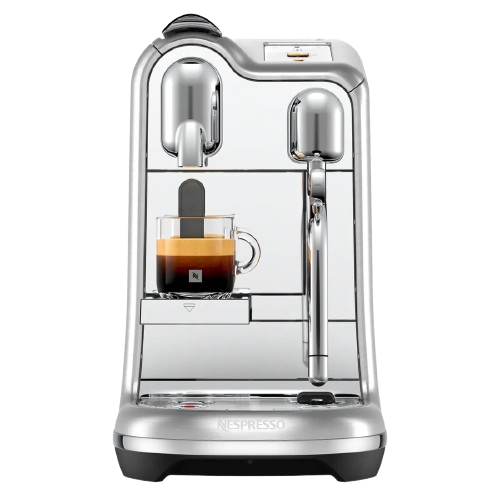
Nespresso Troubleshooting Creatista Pro
Select another machineCreatista Pro

First use or after a long period of non-use
Navigation

Regular Coffee Preparation

Latte Art
Adjusting Regular Coffee Drinks

Reset to factory settings

Daily Cleaning

Descaling

No light indicator.
- Be sure to position the jug correctly on a clean base
- Be sure to attach the whisk to the jug correctly
No coffee, no water.
- No coffee, no water.

Coffee comes out very slowly.
- Flow speed depends on the coffee variety.
- Descale if necessary; see Descaling section.
No coffee, just water runs out (despite inserted capsule).
- In case of problems, send appliance to repair or call Nespresso.

Coffee is not hot enough.
- Preheat cup.
- Descale if necessary; see Descaling section.
Capsule area is leaking (water in capsule container).
- Position capsule correctly. If leakages occur, call Nespresso.
Irregular blinking.
- Send appliance to repair or call Nespresso.
All buttons blink simultaneously for 10 seconds and then machine switches off automatically.
- Error alarm, machine needs repair. Send appliance to repair or call Nespresso.
All coffee buttons blinking fast 3 times and then machine goes back in ready mode.
- Water tank is empty.
Descaling and cleaning alert blink.
- Machine is in menu mode, press simultaneously hot milk and flat white buttons for 3 seconds to exit menu mode or wait 30 seconds to exit automatically.
- Descaling has not properly completed. Repeat the descaling cycle.
Descaling alert shines orange.
- Machine triggers descaling alert according beverages consumption usage. Descale machine.
Descaling alert blinks orange and flat white button steady light.
- Machine is in Descaling mode. Press flat white button to start descaling process.
Clean alert shine orange.
- Disassemble the Rapid Cappuccino System and clean all components in the upper side of your dishwasher. In case a dishwasher is not available, refer to section "Hand washing of Rapid Cappuccino System".
All coffee buttons and all milk recipe buttons flash alternatively.
- Machine overheat, wait until machine cools down.
- Appliance will be blocked for approximately 10 minutes after emptying procedure (refer to section "Emptying the system before a period of non-use, for frost protection or before a repair").

Lever cannot be closed completely.
- Empty capsule container. Make sure that no capsule is blocked inside the capsule container.
Quality of Milk froth is not up to standard.
- Use skimmed or semi-skimmed cow milk at refrigerator temperature (about 4° C).
- Milk froth regulator knob is on position. Turn it to (Froth) position.
- Rinse after each milk preparations (see section "Hand Washing of Rapid Cappuccino System").
- Descale the machine (refer to section "Descaling").
- Do not use frozen milk.
- Ensure the air aspiration part is clean. Refer to the section "Hand washing of Rapid Cappuccino System".
- Ensure all the components of the Rapid Cappuccino System are well assembled.

I cannot enter Menu mode.
- Be sure to remove the milk jug.
- Be sure to press simultaneously hot milk and flat white buttons for 3 seconds.
- Be sure to remove descaling pipe.
Milk jug cannot be dismantled.
- Press the buttons on the sides of the milk jug to remove the parts.
- Refer to section "Assembling / Disassembling of Rapid Cappuccino System".

Turn off the machine.
- Press the on-standby button (The machine is on stand-by - consumption 0.22 Wh).
Turn off the machine.
- The milk froth regulator knob is on (Clean) position. Turn it to (Froth) position.
Specifications

Weight6.65 Kilogram / 14.7 lbs
Removable water tank2 litre / 68 fl.oz

Dimension (WxDxH)25.1.0 x 49.9 x 41.8 cm / 9.8 x 19.6 x 16.5 in

Pressure19 bar / 1.9 MPa
Warranty2 years